Enterprise hardware · New & pre-owned supply
sales@aster-rackit.com English / Global
ProductsView all products
BrandsView all brands
SolutionsView all solutions
ServicesView all services
Resources
AboutView all about
Request a quote

Configurator 3.0 · OEM dependency engine

CPU → memory → storage → GPU → cooling → network → power, linked live.

The planner now links chassis topology, processor power class, DIMM population, drive media, RAID/HBA path, boot device, GPU slots, cooling mode, OCP/PCIe networking, ambient target and PSU headroom. Rules are sourced from current Dell manuals, HPE QuickSpecs, Lenovo Press guides and Supermicro product documentation.
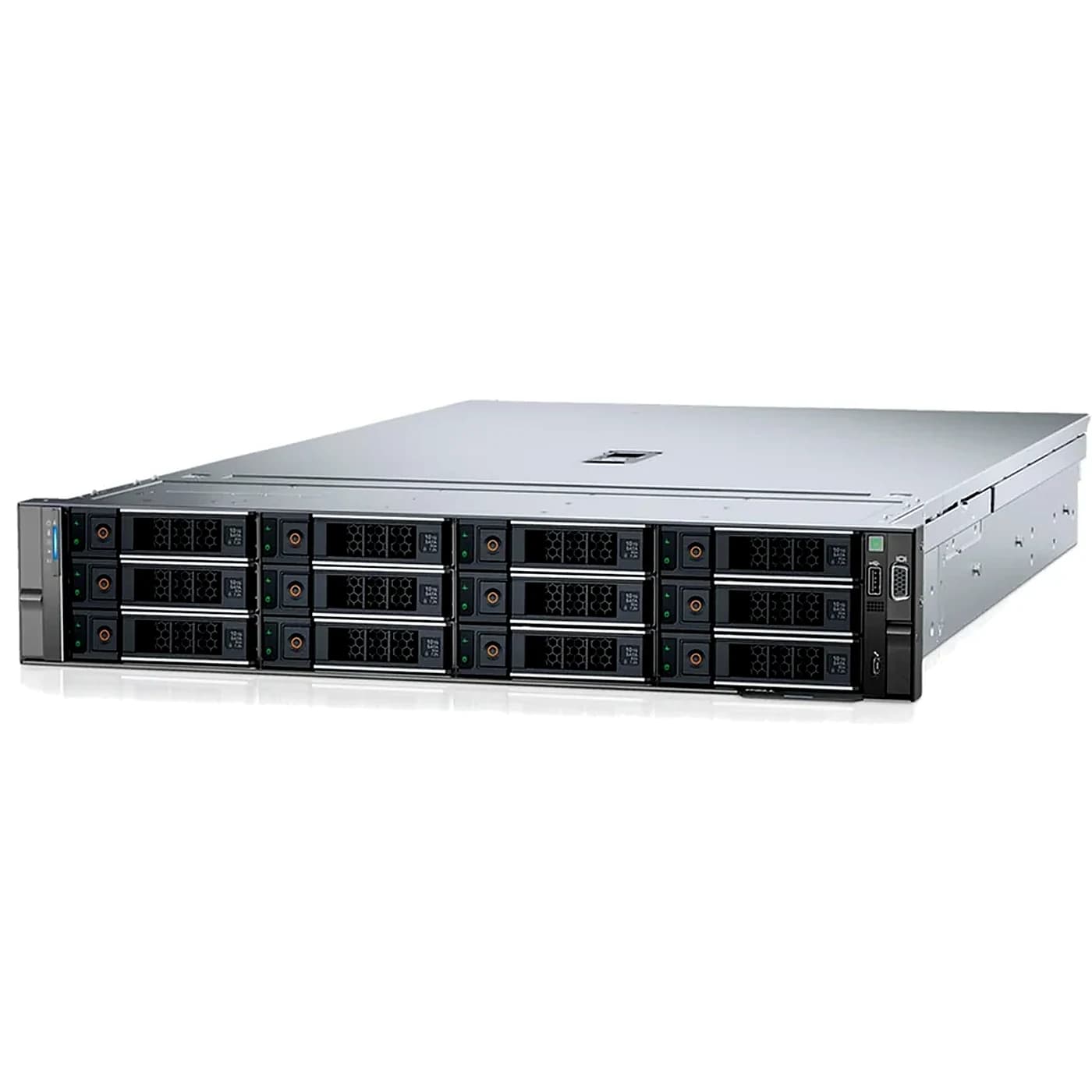
Dell PowerEdge R760
2U enterprise rack server32 DIMM max2 CPU max

1. Platform, chassis & CPU

Intel Xeon Scalable / Xeon Max. Planning TDP: 250W each.

2. Memory population

Installed memory1,024 GB

DDR5 RDIMM only.

3. Storage, RAID & boot

Chassis limit: 8 positions · SAS / SATA / NVMe

4. GPU & cooling

GPU TDP planning: none. Exact OEM GPU PN / riser matrix wins over generic limits.

5. Networking / OCP / AIOM

Networking is handled by the advanced PN/BOM workbench for this legacy profile.

6. Power & environment

976Wrough load
1400Waggregate PSU
25°Ctarget ambient

Live dependency stack / derived BOM notes

Storage topology: Dell PERC / supported hardware RAID

Advanced workbench

PN / BOM / cross-brand engineering workspace

Use this second layer for part-number lookup, network planning, alternative parts and quote preparation after the linked OEM-rule configurator has established the platform dependencies.

Server & network configurators

Build your configuration.

Choose your server, select components and prepare a configuration list. Our team will confirm compatibility, availability and pricing.

Browse all products
8 server platforms7174 model & part numbers160 software & support SKUs

Working with a FusionServer 2288H V7? Check OCP expansion cables for the 8 x 2.5-inch pass-through configuration.

Open xFusion OCP cabling planner
Server model

Configuration overview

0 CPU · 0 DIMM · 0 GB
00

Processors

00

Server memory

00

SSD & hard drives

00

Power supplies

For upgrades, include all processors and memory that will remain installed, as well as the new parts. Quantities here describe the planned system, not only the items being purchased.

Power & boot storage

Choose the site power feed and intended M.2 drive mode. Include all parts that will remain installed.

AC input voltage
M.2 drive mode

Memory population

Select processors and one matching DIMM part number in a supported quantity to see the slot layout.

CPU 1

12345678910111213141516

CPU 2

17181920212223242526272829303132

Slot-number guide, not a physical motherboard drawing. Confirm the final processor and memory configuration before installation. Operating speed depends on the processor, population and firmware.

Configuration scope & installation requirements
  • Plan the complete installed system, including any parts you will retain. This online selection is limited to an air-cooled layout with up to eight front 2.5-inch SAS/SATA drives and optional M.2 boot storage. Ask our team about larger drive layouts, GPUs, NVMe/EDSFF front bays, rear or mid-chassis drives and liquid cooling.
  • For online selection, use matching processor part numbers and one DIMM part number, evenly populated across the installed processors. Other mixed configurations need a separate compatibility check.
  • The exact chassis, drive backplane, storage controller, cables, heatsinks, air baffles, firmware and operating system must be confirmed before ordering.
  • DIMM rated speed is not the installed operating speed. Processor limits, memory population and firmware determine the operating speed.
  • Power supply capacity, input voltage, power cords and redundancy need a complete system power check. Two PSU ratings must not be added together to claim redundant capacity.
  • With one processor, PCIe slots 1 and 2 may be available depending on the risers; slot 3 is unavailable.
  • The Xeon 5515+ requires the appropriate T-shaped heatsink and performance fans despite its 165 W TDP. Confirm all other CPU-specific cooling requirements.
Product category

34 parts · contact us to confirm availability

Lenovo / Server memory / option PN

4X77A77029

16GB RDIMM

Capacity: 16 GBRanks: 1Technology: DDR5DRAM density: 16 GbRated memory speed: 4800 MT/s
Compatibility & installation
  • Confirm the server model, installed components and any additional installation kits before ordering.
Product details

Lenovo / Server memory / option PN

4X77A77031

32GB RDIMM

Capacity: 32 GBRanks: 2Technology: DDR5DRAM density: 16 GbRated memory speed: 4800 MT/s
Compatibility & installation
  • Confirm the server model, installed components and any additional installation kits before ordering.
Product details

Lenovo / Server memory / option PN

4X77A77032

64GB RDIMM

Capacity: 64 GBRanks: 2Technology: DDR5DRAM density: 16 GbRated memory speed: 4800 MT/s
Compatibility & installation
  • Confirm the server model, installed components and any additional installation kits before ordering.
Product details

Lenovo / Server memory / option PN

4X77A77030

32GB RDIMM

Capacity: 32 GBRanks: 1Technology: DDR5DRAM density: 16 GbRated memory speed: 4800 MT/s
Compatibility & installation
  • Confirm the server model, installed components and any additional installation kits before ordering.
Product details

Lenovo / Server memory / option PN

4X77A88087

16GB RDIMM

Capacity: 16 GBRanks: 1Technology: DDR5DRAM density: 16 GbRated memory speed: 5600 MT/s
Compatibility & installation
  • Confirm the server model, installed components and any additional installation kits before ordering.
Product details

Lenovo / Server memory / option PN

4X77A88051

32GB RDIMM

Capacity: 32 GBRanks: 2Technology: DDR5DRAM density: 16 GbRated memory speed: 5600 MT/s
Compatibility & installation
  • Confirm the server model, installed components and any additional installation kits before ordering.
Product details

Lenovo / Server memory / option PN

4X77A88052

64GB RDIMM

Capacity: 64 GBRanks: 2Technology: DDR5DRAM density: 16 GbRated memory speed: 5600 MT/s
Compatibility & installation
  • Confirm the server model, installed components and any additional installation kits before ordering.
Product details

Lenovo / Power supplies / option PN

4P57A72666

1100W PSU

Rated power: 1100 WHot swap: Yes
Compatibility & installation
  • Confirm the server model, installed components and any additional installation kits before ordering.
Product details

Lenovo / Power supplies / option PN

4P57A78359

1800W PSU

Rated power: 1800 WHot swap: Yes
Compatibility & installation
  • Confirm the server model, installed components and any additional installation kits before ordering.
Product details

Lenovo / Power supplies / option PN

4P57A72670

750W PSU

Rated power: 750 WHot swap: Yes
Compatibility & installation
  • Confirm the server model, installed components and any additional installation kits before ordering.
Product details

Lenovo / Power supplies / option PN

4P57A72671

1100W PSU

Rated power: 1100 WHot swap: Yes
Compatibility & installation
  • Confirm the server model, installed components and any additional installation kits before ordering.
Product details

Lenovo / Server memory / option PN

4X77A90992

ThinkSystem 64GB TruDDR5 Performance+ 5600MHz (2Rx4) RDIMM

Capacity: 64 GBRanks: 2Technology: DDR5DRAM density: 16 GbRated memory speed: 5600 MT/s
Compatibility & installation
  • Confirm the server model, installed components and any additional installation kits before ordering.
Product details

Lenovo / SSD & hard drives / option PN

4XB7A90102

ThinkSystem M.2 PM9A3 960GB Read Intensive NVMe PCIe 4.0 x4 NHS SSD

Capacity: 960 GBInterface: NVMe-PCIe4-x4Form factor: M.2Hot swap: NoDrive type: SSD
Compatibility & installation
  • Confirm the server model, installed components and any additional installation kits before ordering.
Product details

Lenovo / SSD & hard drives / option PN

4XB7A90874

ThinkSystem 2.5" VA 960GB Read Intensive SATA 6Gb HS SSD v2

Capacity: 960 GBInterface: SATA-6Gb/sForm factor: 2.5-inchHot swap: YesDrive type: SSD
Compatibility & installation
  • Confirm the server model, installed components and any additional installation kits before ordering.
Product details

Lenovo / SSD & hard drives / option PN

4XB7A90875

ThinkSystem 2.5" VA 1.92TB Read Intensive SATA 6Gb HS SSD v2

Capacity: 1920 GBInterface: SATA-6Gb/sForm factor: 2.5-inchHot swap: YesDrive type: SSD
Compatibility & installation
  • Confirm the server model, installed components and any additional installation kits before ordering.
Product details

Lenovo / SSD & hard drives / option PN

4XB7A90876

ThinkSystem 2.5" VA 3.84TB Read Intensive SATA 6Gb HS SSD v2

Capacity: 3840 GBInterface: SATA-6Gb/sForm factor: 2.5-inchHot swap: YesDrive type: SSD
Compatibility & installation
  • Confirm the server model, installed components and any additional installation kits before ordering.
Product details

Lenovo / SSD & hard drives / option PN

4XB7A90877

ThinkSystem 2.5" VA 7.68TB Read Intensive SATA 6Gb HS SSD v2

Capacity: 7680 GBInterface: SATA-6Gb/sForm factor: 2.5-inchHot swap: YesDrive type: SSD
Compatibility & installation
  • Confirm the server model, installed components and any additional installation kits before ordering.
Product details

Lenovo / SSD & hard drives / option PN

4XB7B09650

ThinkSystem M.2 VA 480GB Read Intensive NVMe PCIe 4.0 x4 NHS SSD

Capacity: 480 GBInterface: NVMe-PCIe4-x4Form factor: M.2Hot swap: NoDrive type: SSD
Compatibility & installation
  • Confirm the server model, installed components and any additional installation kits before ordering.
Product details

Configuration planning

Build the full picture of your installation.

Use the selectors above to prepare your list. Include existing parts and installation constraints so missing accessories and incompatible combinations can be discussed before ordering.

01

Choose the exact platform

Select the full server or network model. Closely named models and chassis variants may have different slots, power and accessory requirements.

02

Select parts and requirements

Add component quantities and complete the available installation fields. For networks, include link speeds, optics and software requirements.

03

Review and share the list

Address flagged conflicts, keep any open questions and prepare the configuration text. Share the draft with your sales contact for a complete offer.

Server planning

Plan beyond CPU, memory and capacity.

Memory population
Account for the number of installed processors, DIMM generation, capacity, ranks and the model-specific slot arrangement.
Storage installation
Identify the drive interface and physical format, backplane, controller, carriers and cables. Include boot storage as a separate requirement.
Power & thermal requirements
Confirm AC or DC input, available voltage, PSU selection, fans, heatsinks and inlet conditions. Complete-system power capacity still needs review.
Expansion & mechanical parts
Account for risers, adapter positions, rails and other accessories. A part-number match does not confirm that a slot remains available.

Network planning

Connect the hardware and software requirements.

01

Ports & topology

Define the role of each switch and the links between devices. Keep management, stacking and data links separate in the requirement.

Choose a network model
02

Optics & cabling

Specify link speed, distance, fiber or copper media, connector and any breakout requirement. Confirm the exact module and software support.

Explore connectivity
03

Licenses & support

Check feature entitlement, purchase unit, term and target model. A support contract is not a substitute for a required software license.

Plan a network

Configuration questions

Know what the list does—and what needs confirmation.

Does a list without conflicts certify the whole system?

No. Checks cover the listed options and entered requirements. The complete system, firmware, power budget, software and installation still need confirmation.

Should I include parts already installed?

Yes. Include retained components when planning the final system so population, power, slot and accessory requirements are considered.

What if my exact platform is not selectable?

Use the catalog or parts finder and prepare the equipment list for review. Do not choose a similar model as a substitute for an exact compatibility check.

Has my request been sent when I save it?

No. The current form keeps a draft on your device. Share the prepared list with your sales contact using the contact details provided.

Discuss your requirements

Ready to review the complete configuration?

Keep the selected list and open questions together. Confirm supply, installation requirements and commercial terms with our team.

Discuss your configuration